Tethered logo Tethered
Wake Up
For Real
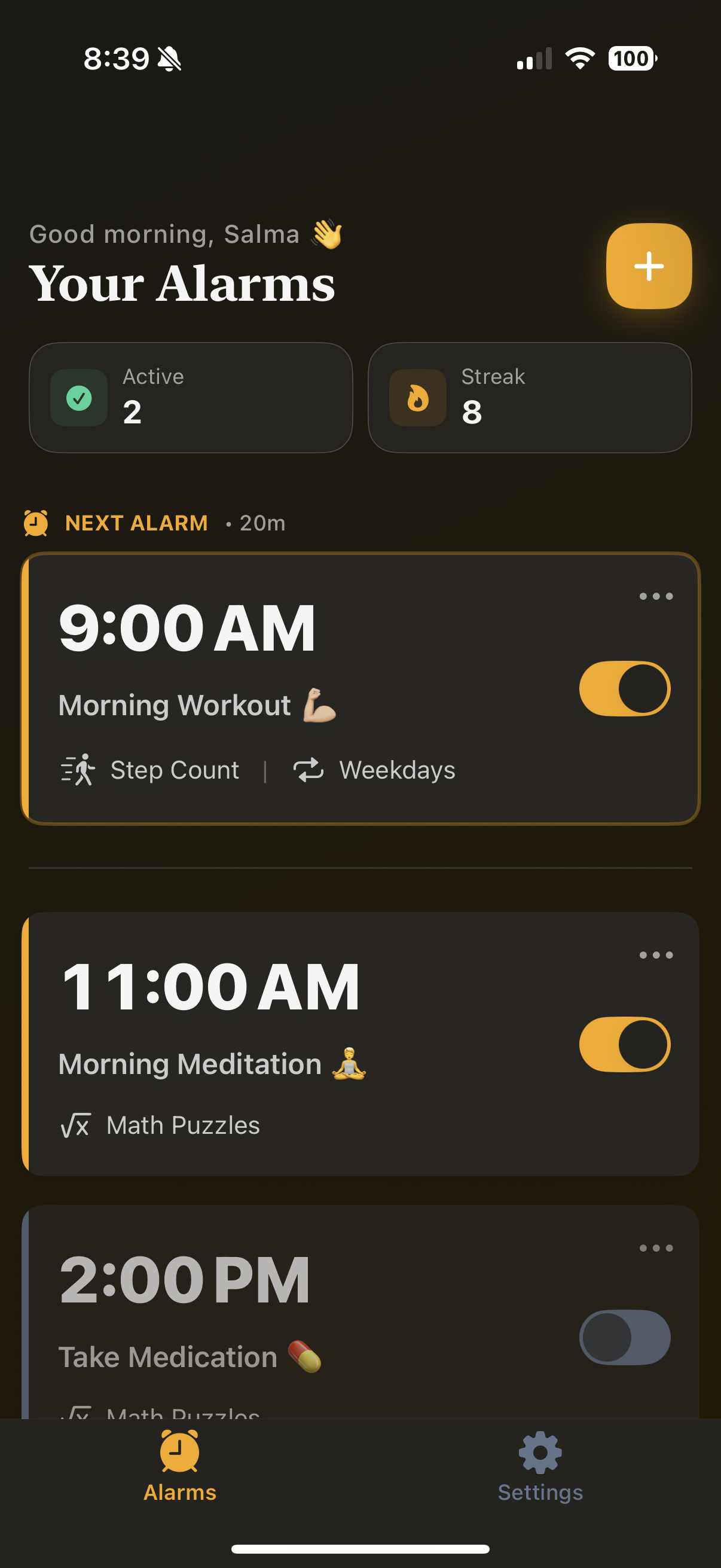
Tethered App Screenshot
The alarm app with challenges that actually wake you up. Solve puzzles, take steps, and start your day with intention.

How Tethered Works

1

Set your alarm and choose your challenge

2

When your alarm goes off, complete a challenge to prove you're awake

3

Complete the challenge and dismiss your alarm

Build better wake-up habits that last

Challenge Screen

Features That Keep You
Accountable

Math Challenge

Math Challenges

Solve math problems to prove your brain is awake and functioning

Step Challenges

Take a certain number of steps to get your body moving

Lock Feature

Lock Before Alarm

Prevents editing or deleting alarms 1 hour before they go off

Repeating Alarms

Set daily, weekday, or custom repeating alarm schedules

What Our Users Say

"This app finally got me to stop hitting snooze! The challenges actually wake up my brain."

Sarah M.

Early Riser

"I've saved so much time in the mornings. The step challenge gets me moving right away!"

Mike T.

Fitness Enthusiast

"Best app for my productivity. Haven't been late to work since downloading!"

Alex K.

Software Developer

Frequently Asked Questions

How do the challenges work?
When your alarm goes off, you'll need to complete a challenge to dismiss it. Challenges are designed to engage your brain or body so you're fully awake before the alarm stops.
What types of challenges are available?
Currently we offer two challenge types: Math problems (solve equations to prove you're thinking clearly), and Step counting (take a certain number of steps to get moving).
Can I edit or delete alarms after setting them?
Yes, you can edit or delete alarms anytime except when the "Lock Before Alarm" feature is enabled. This feature prevents changes 1 hour before the alarm time to prevent cheating.
How difficult are the challenges?
You can customize the difficulty level of each challenge. Math problems range from simple addition to more complex equations, and step challenges can be set from a quick walk to a longer trek.
What happens when I complete the challenge?
Once you complete your challenge, the alarm turns off and you can start your day! For repeating alarms, the next occurrence is automatically scheduled.
Still have questions?
Contact Support

Start waking up on time today

Join thousands who've transformed their morning routine
Tethered app